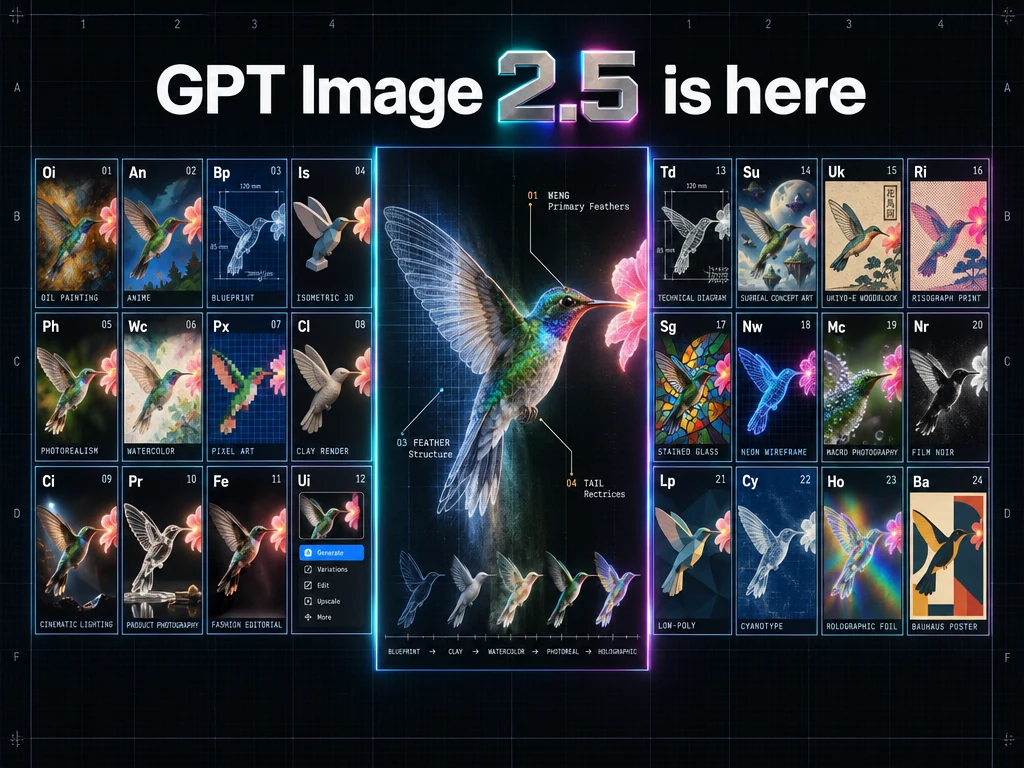
Flare 优先速度,Sunburst 优先质量。TTAPI 官方渠道可用同一密钥;实验时固定提示词、质量和尺寸,只换两个模型 ID。
按速度或质量选择 TTAPI 模型 ID
OpenAI 将 Flare 定位为速度优化的小模型,画质接近 GPT Image 2;Sunburst 为质量优先的基础模型,画质高于 GPT Image 2。两款都改进了精细编辑和主体保留。
在 TTAPI 中用官方渠道 /v1/images/generations,同步返回图像,无需轮询。统一密钥,测试只换 model。尺寸、背景、质量和价格按文档确认。
GPT Image 2.5 Flare
gpt-image-2.5-flare小型模型,重点优化生图速度。
- 日常图像生成
- 已验证的 GPT Image 2 工作流
- 时延最重要时优先测试
GPT Image 2.5 Sunburst
gpt-image-2.5-sunburst基础模型,面向更高的画质要求。
- 复杂图像编辑
- 复杂版式和精确文字
- GPT Image 2 未达验收要求时先试
两者均使用 TTAPI 官方渠道的同步接口 /v1/images/generations。首轮对照应固定提示词、参考图、质量、尺寸和输出格式。
- GPT Image 2 已满足质量时试 Flare 检查耗时
- 难图先用 Sunburst 验证质量
- Sunburst 通过后再用 Flare 测同一需求
对照同一写实人像任务
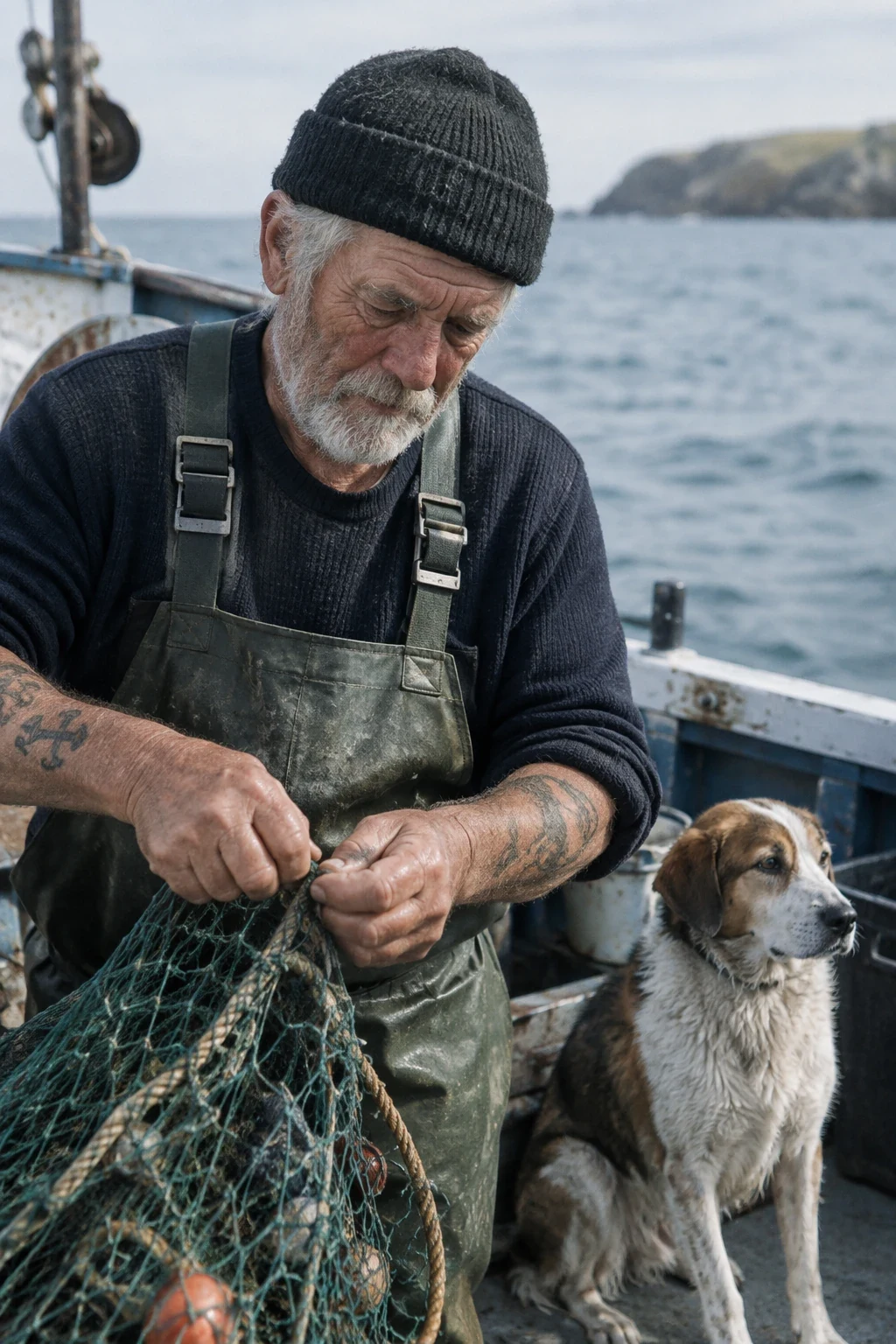
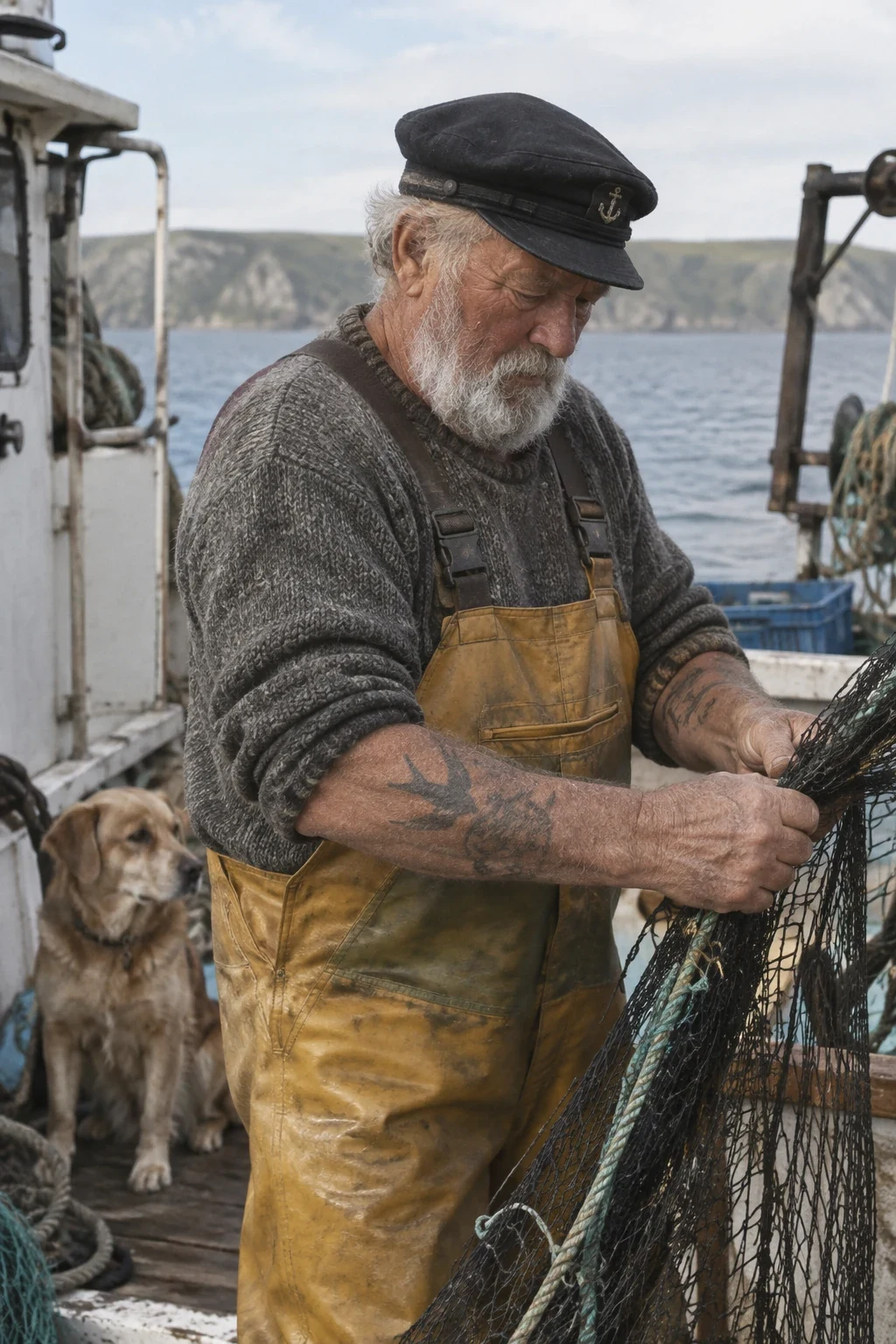
OpenAI 的对比使用同一主体、构图、光线和质感。若已有模型能达到目标外观,可检查 Flare 是否能更快交付同等可用画面。
下方水手样例用相同提示词、1024×1536 和 medium。可在 TTAPI 固定这些条件,只换模型 ID。
Create a photorealistic candid photograph of an elderly sailor standing on a small fishing boat. He has weathered skin with visible wrinkles, pores, and sun texture, and a few faded traditional sailor tattoos on his arms. He is calmly adjusting a net while his dog sits nearby on the deck. Shot like a 35mm film photograph, medium close-up at eye level, using a 50mm lens. Soft coastal daylight, shallow depth of field, subtle film grain, natural color balance. The image should feel honest and unposed, with real skin texture, worn materials, and everyday detail. No glamorization, no heavy retouching.
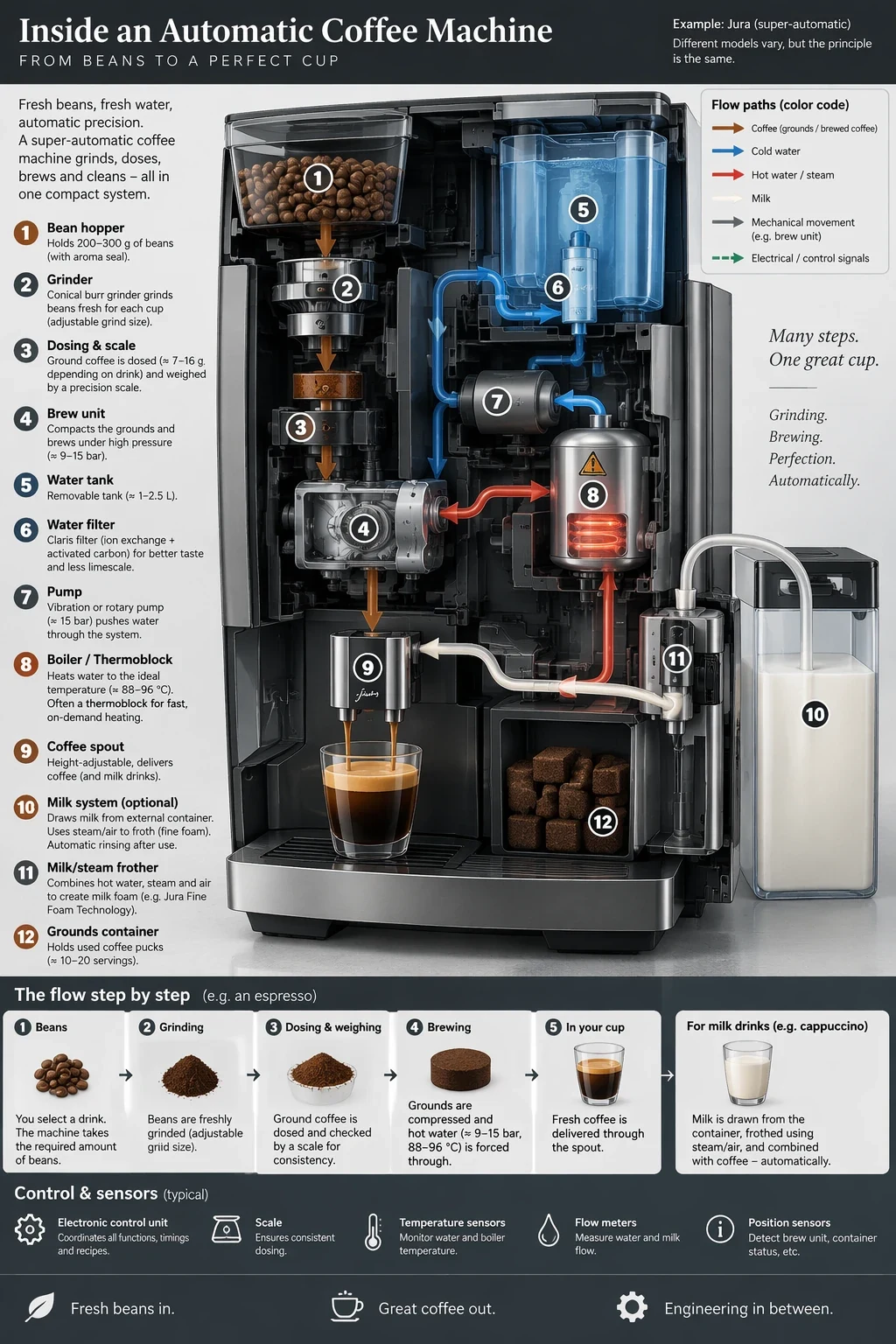
对照同一信息图任务
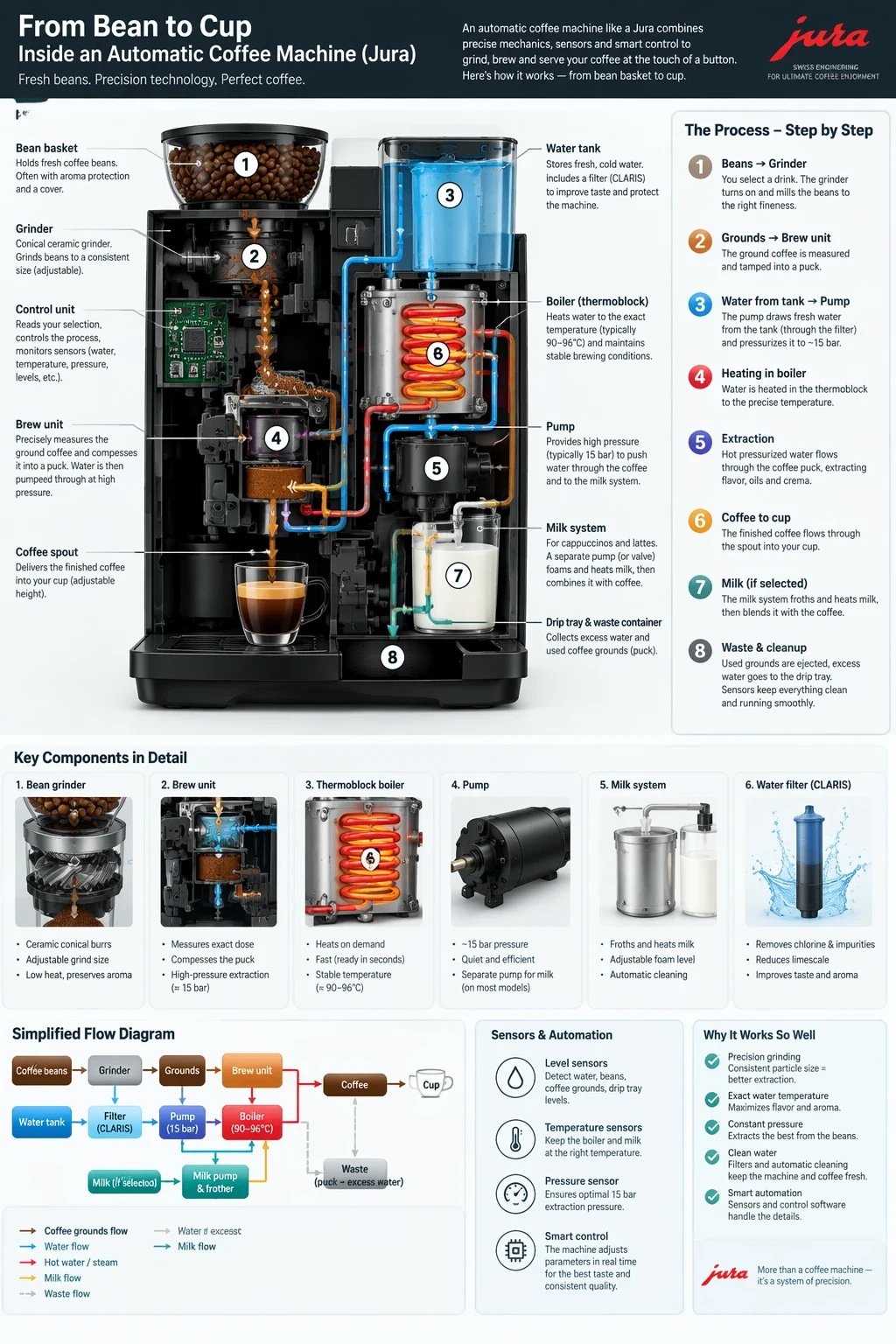
流程示意图要核对标签与事实对应关系,也可用同样方法检查活动文案、保留身份的编辑及透明标志边缘。
咖啡机样例同为 1024×1536 和 medium。Sunburst 达到要求后,可将同样的提示词、参考图和设置发给 Flare 再比较。
Create a detailed Infographic of the functioning and flow of an automatic coffee machine like a Jura. From bean basket, to grinding, to scale, water tank, boiler, etc. I'd like to understand technically and visually the flow.
写好一份需求,用两个 ID 分别调用
说明输出和用途,再写材质、光线、取景及文字位置。编辑时明确要改什么、保留什么,为每张参考图指定用途。首轮对照固定质量、尺寸和格式。
示例用 TTAPI 官方渠道生成接口及水手提示词,密钥放服务端。将 model 换成 gpt-image-2.5-sunburst 即可比较,记录需求遵循、文字、主体保留、失败请求与可用成品耗时。
curl --request POST \
  --url 'https://api.ttapi.io/v1/images/generations' \
  --header "TT-API-KEY: $TTAPI_KEY" \
  --header 'Content-Type: application/json' \
  --data '{
  "prompt": "Create a photorealistic candid photograph of an elderly sailor standing on a small fishing boat.\nHe has weathered skin with visible wrinkles, pores, and sun texture, and a few faded traditional sailor tattoos on his arms.\nHe is calmly adjusting a net while his dog sits nearby on the deck. Shot like a 35mm film photograph, medium close-up at eye level, using a 50mm lens.\nSoft coastal daylight, shallow depth of field, subtle film grain, natural color balance.\nThe image should feel honest and unposed, with real skin texture, worn materials, and everyday detail. No glamorization, no heavy retouching.",
  "model": "gpt-image-2.5-flare",
  "background": "auto",
  "quality": "medium",
  "size": "1024x1536"
}'- 固定提示词、参考图、尺寸和质量
- 用引号标出必须出现的文字
- 在 /v1/images/generations 只改 model
- 上线前核对字段和价格