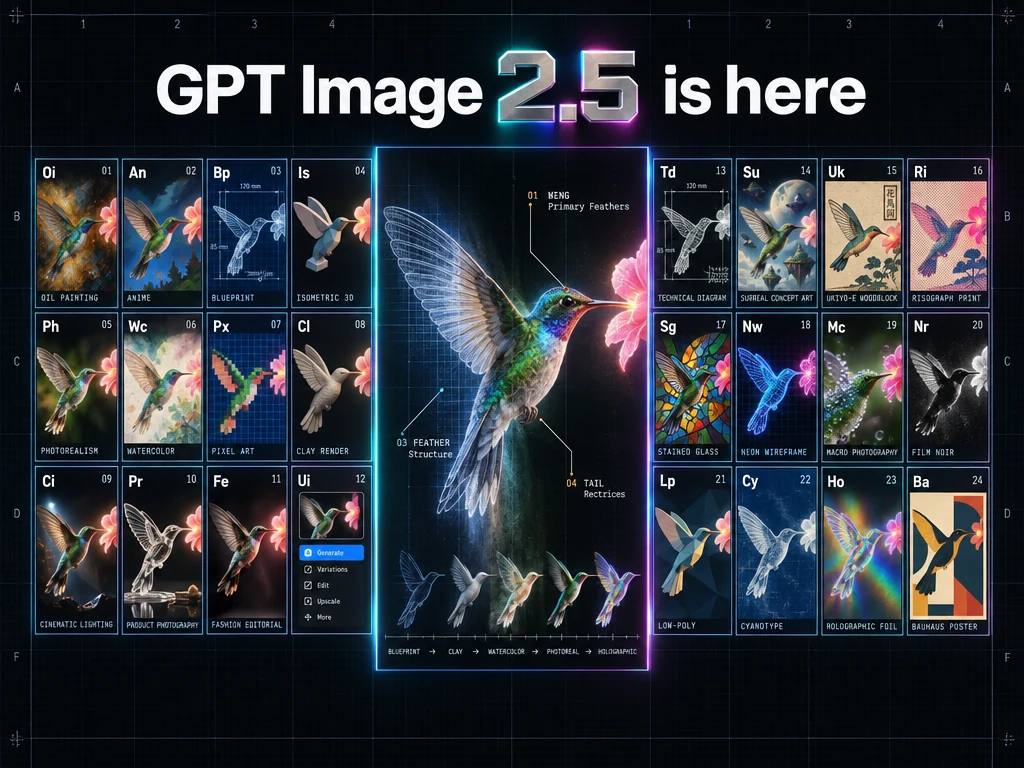
OpenAI treats Flare as the small, speed-first model and Sunburst as the quality-first base model. On TTAPI they share one key and the official-transfer image API—keep the prompt, quality, and size fixed, then change only gpt-image-2.5-flare or gpt-image-2.5-sunburst.
Start from speed or quality, then pick the TTAPI model ID
This guide compares the GPT Image 2.5 Flare and Sunburst APIs on TTAPI. OpenAI's image-prompting guide splits the family the same way: Flare is the small model, optimized for speed, with image quality it describes as comparable to GPT Image 2. Sunburst is the base model, optimized for quality, with higher image quality than GPT Image 2. Both improve precise editing and subject preservation versus GPT Image 2.
On TTAPI those two IDs use the official-transfer image API at /v1/images/generations. The request is synchronous: the HTTP response is the image, not a job you poll. One API key covers both. Change only the model field. Confirm quality, size, background, and current pricing on the model page and the current reference—do not assume the faster model costs less.
GPT Image 2.5 Flare
gpt-image-2.5-flareThe small model, optimized for faster image generation.
- Everyday generation
- Validated GPT Image 2 workflows
- Test when latency is the main constraint
GPT Image 2.5 Sunburst
gpt-image-2.5-sunburstThe base model, optimized for demanding image quality.
- Complex edits
- Dense layouts and exact text
- Start here when GPT Image 2 misses the bar
Both use TTAPI's synchronous official-transfer route at /v1/images/generations. Keep prompt, references, quality, size, and output format fixed for the first comparison.
- GPT Image 2 already meets quality: start with Flare and look for a latency gain.
- GPT Image 2 falls short on a hard still: start with Sunburst and prove quality first.
- If Sunburst meets the bar, retry the same brief on Flare before you lock the ID.
Compare the same photoreal brief on Flare and Sunburst
OpenAI's generate-images section puts Flare and Sunburst on one photoreal brief—subject, crop, light, and texture. Use that layout when GPT Image 2 already meets the look and the next question is whether Flare keeps it while cutting wait time.
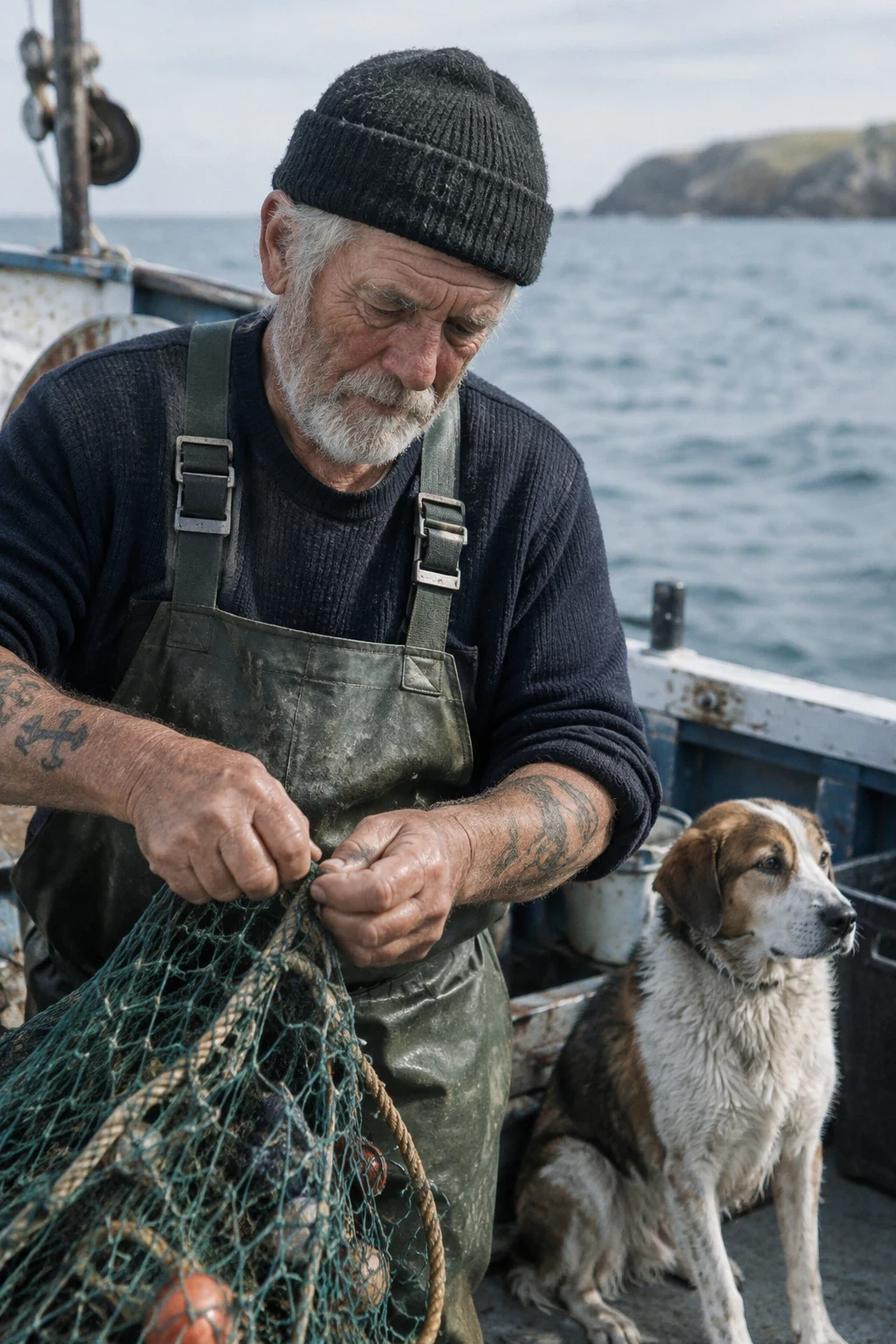
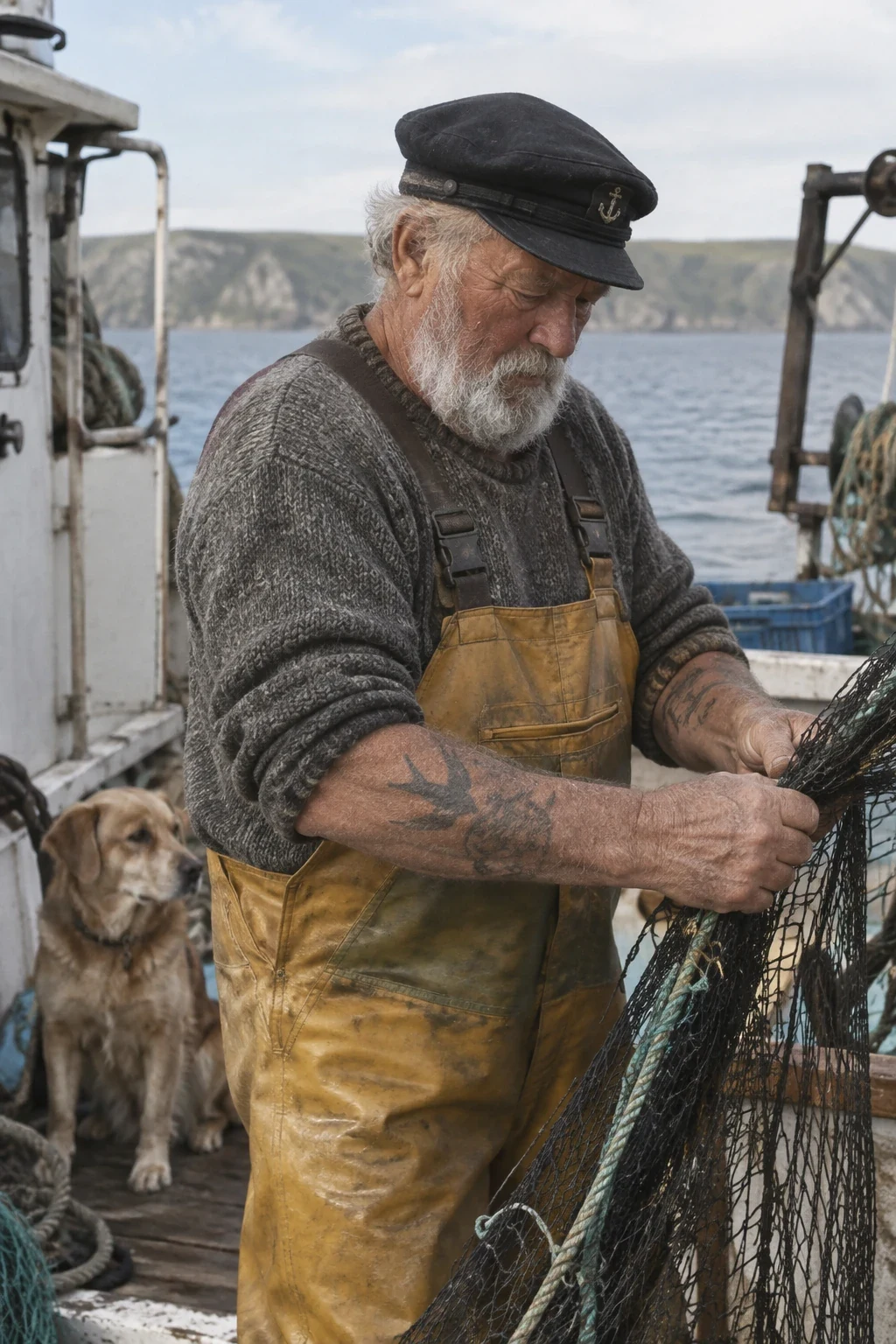
Both stills below were generated from the same sailor prompt, with size 1024x1536 and quality medium. On TTAPI, send that prompt to both IDs and change only the model field. Name subject, crop, light, and any text the same way for your own brief.
Create a photorealistic candid photograph of an elderly sailor standing on a small fishing boat. He has weathered skin with visible wrinkles, pores, and sun texture, and a few faded traditional sailor tattoos on his arms. He is calmly adjusting a net while his dog sits nearby on the deck. Shot like a 35mm film photograph, medium close-up at eye level, using a 50mm lens. Soft coastal daylight, shallow depth of field, subtle film grain, natural color balance. The image should feel honest and unposed, with real skin texture, worn materials, and everyday detail. No glamorization, no heavy retouching.
Compare the same process brief on Flare and Sunburst
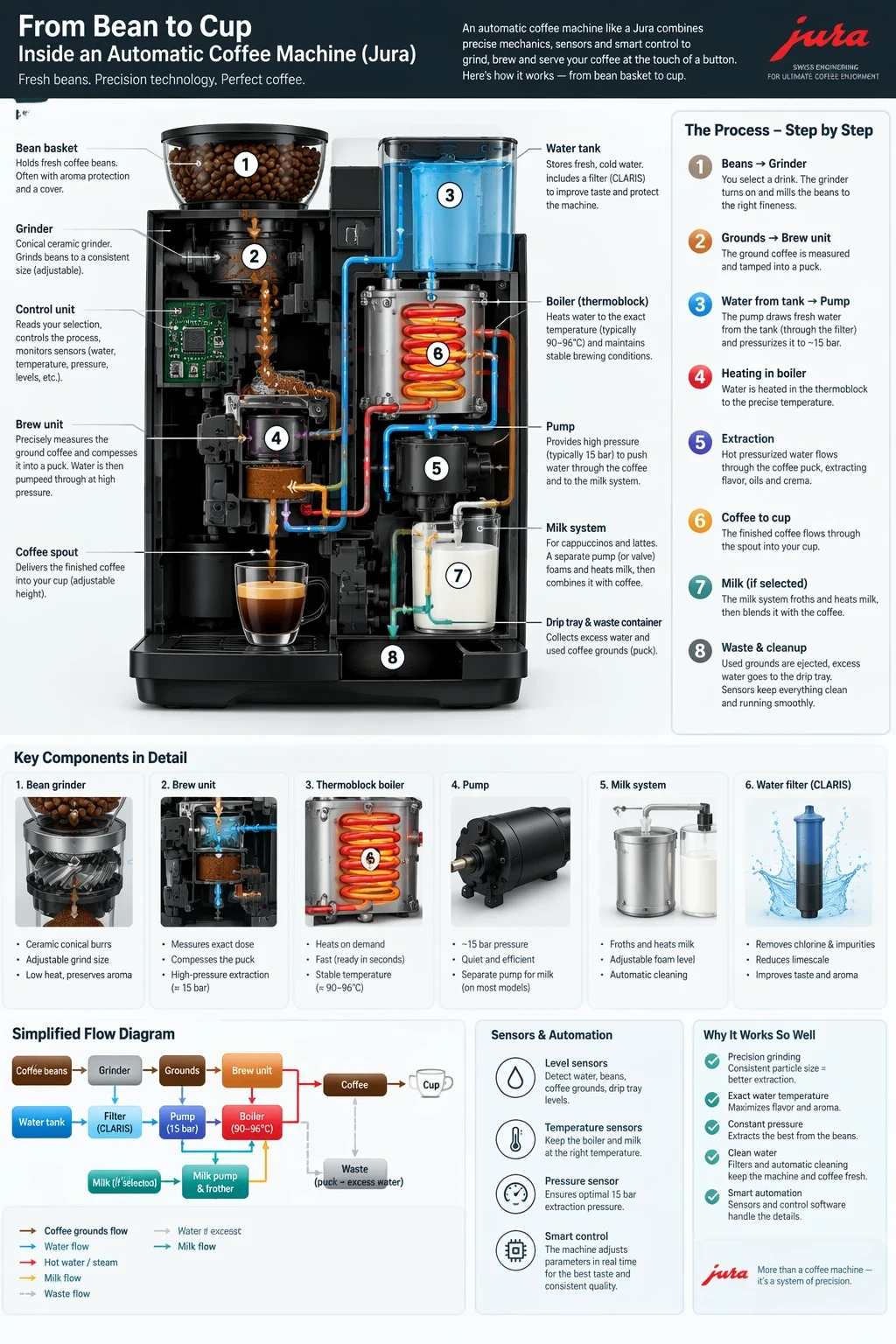
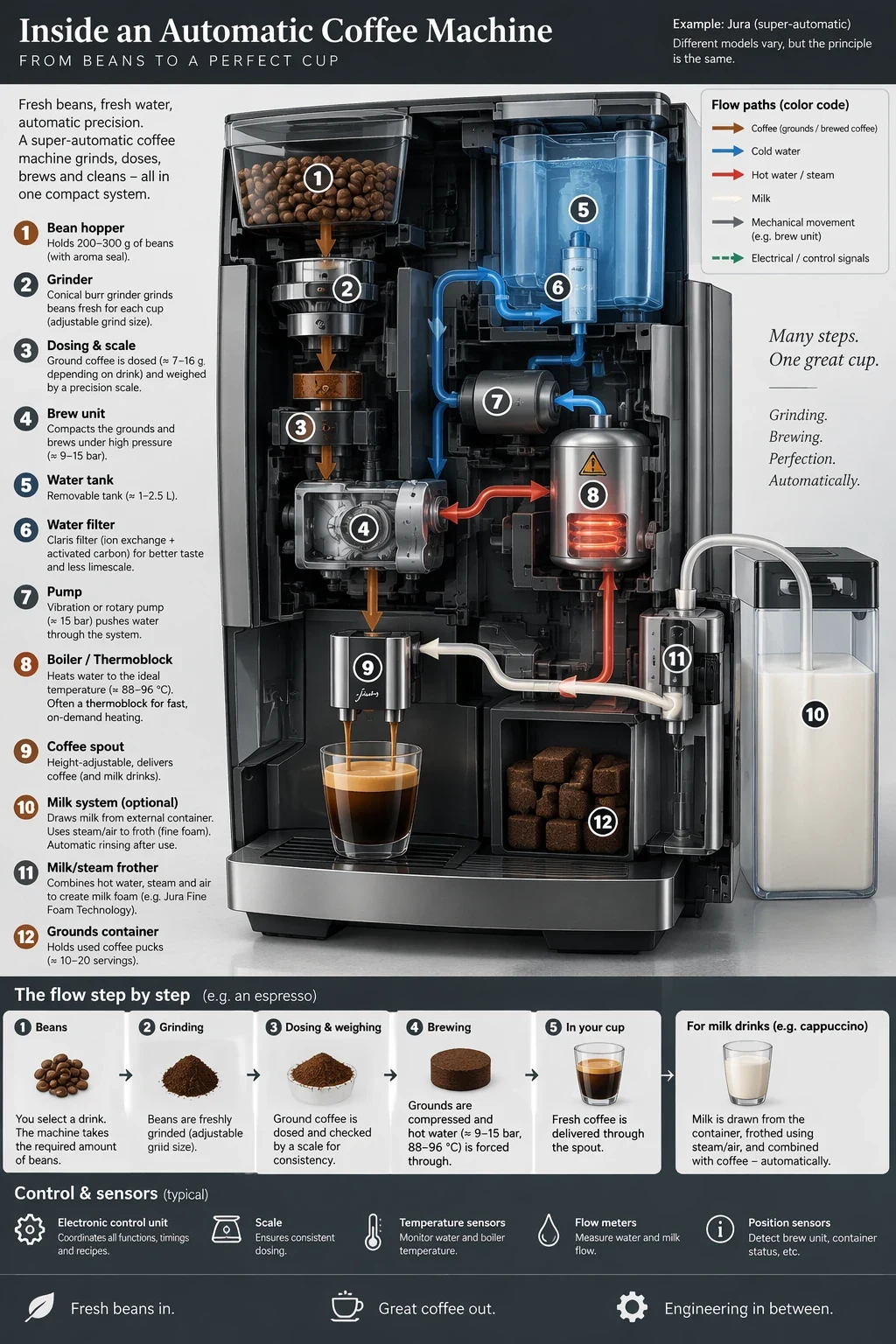
OpenAI then holds the models to a quality-gated job: a process infographic. Review labels and factual relationships as well as look. The same pattern applies to exact campaign type, identity-preserving edits, and a logo that needs a clean transparent edge.
Both stills below use the coffee-machine brief, again at 1024x1536 and medium quality. If Sunburst clears your bar, send the same prompt, references, size, and quality to Flare before you keep the slower ID.
Create a detailed Infographic of the functioning and flow of an automatic coffee machine like a Jura. From bean basket, to grinding, to scale, water tank, boiler, etc. I'd like to understand technically and visually the flow.
Write one brief, then call both IDs on TTAPI
OpenAI's prompting pattern is the same for both models. Name the result and its use. Describe materials, light, and framing. Put required copy in quotes and say where it sits. For edits, say what changes and list what must stay—identity, geometry, labels, lighting. Assign each reference image a role. Change one thing at a time. The same quality label does not mean the same picture or the same latency on Flare and Sunburst, so keep quality, size, and format fixed for the first comparison.
The cURL below uses TTAPI's official-transfer generate endpoint and the sailor brief. Keep TTAPI_KEY on the server. To test Sunburst, send the same body with model set to gpt-image-2.5-sunburst. Record instruction following, identity or product preservation, text accuracy, failed requests, and time-to-usable-result. Current prices stay on the model and pricing pages.
curl --request POST \
  --url 'https://api.ttapi.io/v1/images/generations' \
  --header "TT-API-KEY: $TTAPI_KEY" \
  --header 'Content-Type: application/json' \
  --data '{
  "prompt": "Create a photorealistic candid photograph of an elderly sailor standing on a small fishing boat.\nHe has weathered skin with visible wrinkles, pores, and sun texture, and a few faded traditional sailor tattoos on his arms.\nHe is calmly adjusting a net while his dog sits nearby on the deck. Shot like a 35mm film photograph, medium close-up at eye level, using a 50mm lens.\nSoft coastal daylight, shallow depth of field, subtle film grain, natural color balance.\nThe image should feel honest and unposed, with real skin texture, worn materials, and everyday detail. No glamorization, no heavy retouching.",
  "model": "gpt-image-2.5-flare",
  "background": "auto",
  "quality": "medium",
  "size": "1024x1536"
}'- Keep the prompt, references, size, and quality identical across both IDs.
- Quote required text and list what an edit must not change.
- Switch only the model field on /v1/images/generations.
- Confirm current fields and pricing before you ship.
Open the model that matches the job.
Compare the model pages, then follow the current image API documentation.