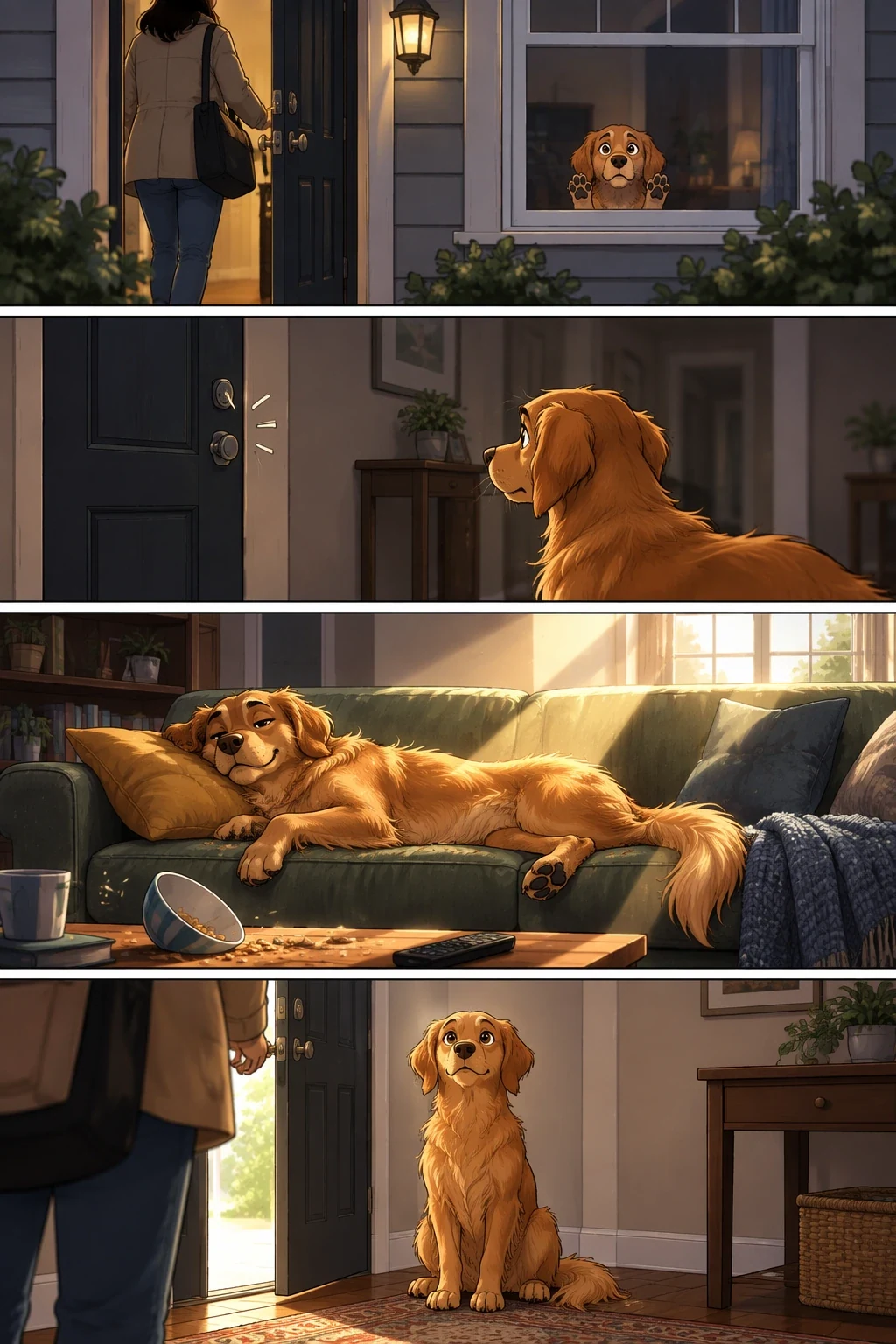
 Turn a story into a comic stripExample 01
gpt-image-2.5-flare
GPT Image 2.5 Flare API by OpenAI on TTAPI handles synchronous prompt-to-image generation through the official-transfer route with standard GPT Image output controls.
InputPrompttext
Models6available
FlowAsyncresult URL
Price20% offofficial
Turn a story into a comic stripExample 01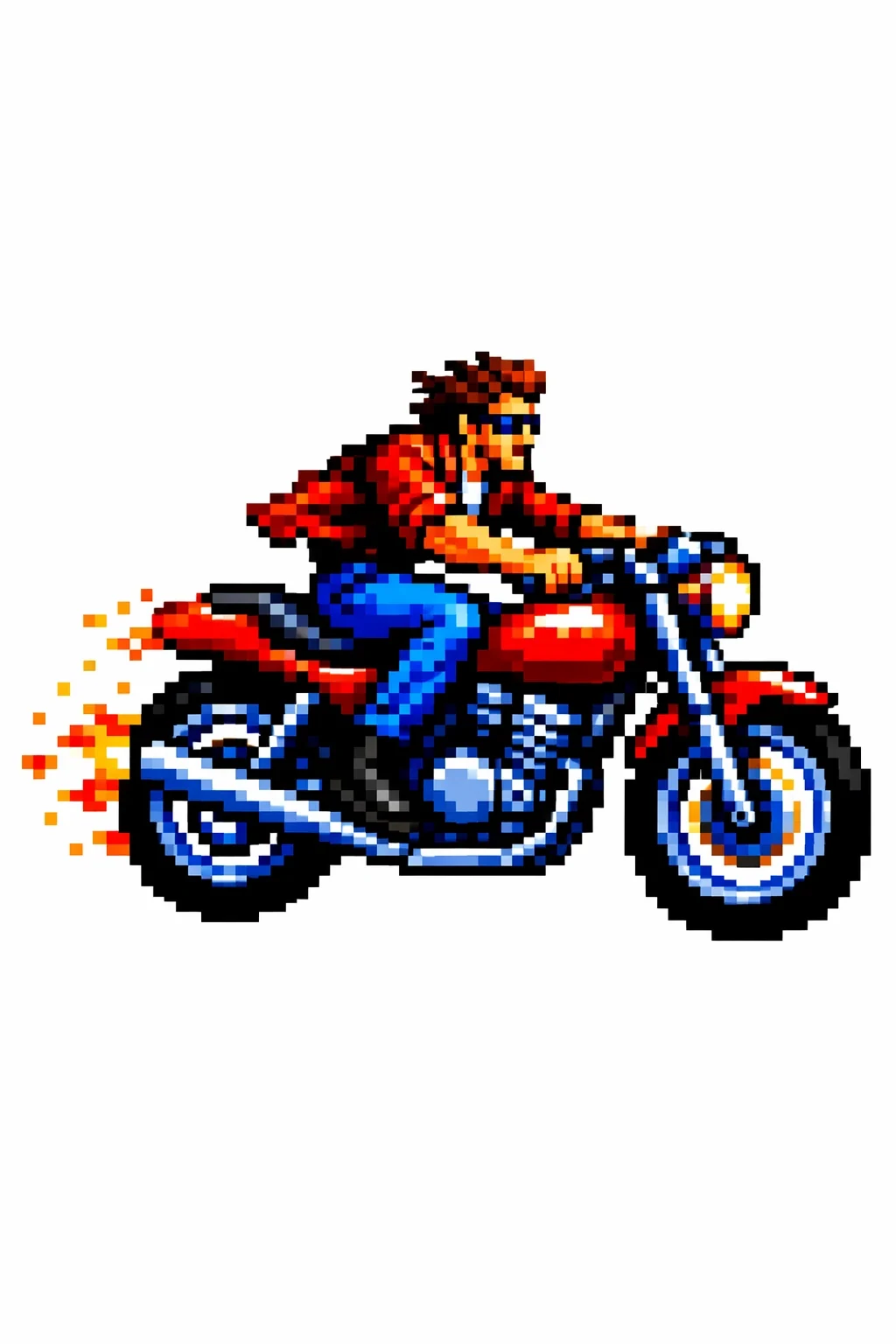 Transfer a visual styleExample 02
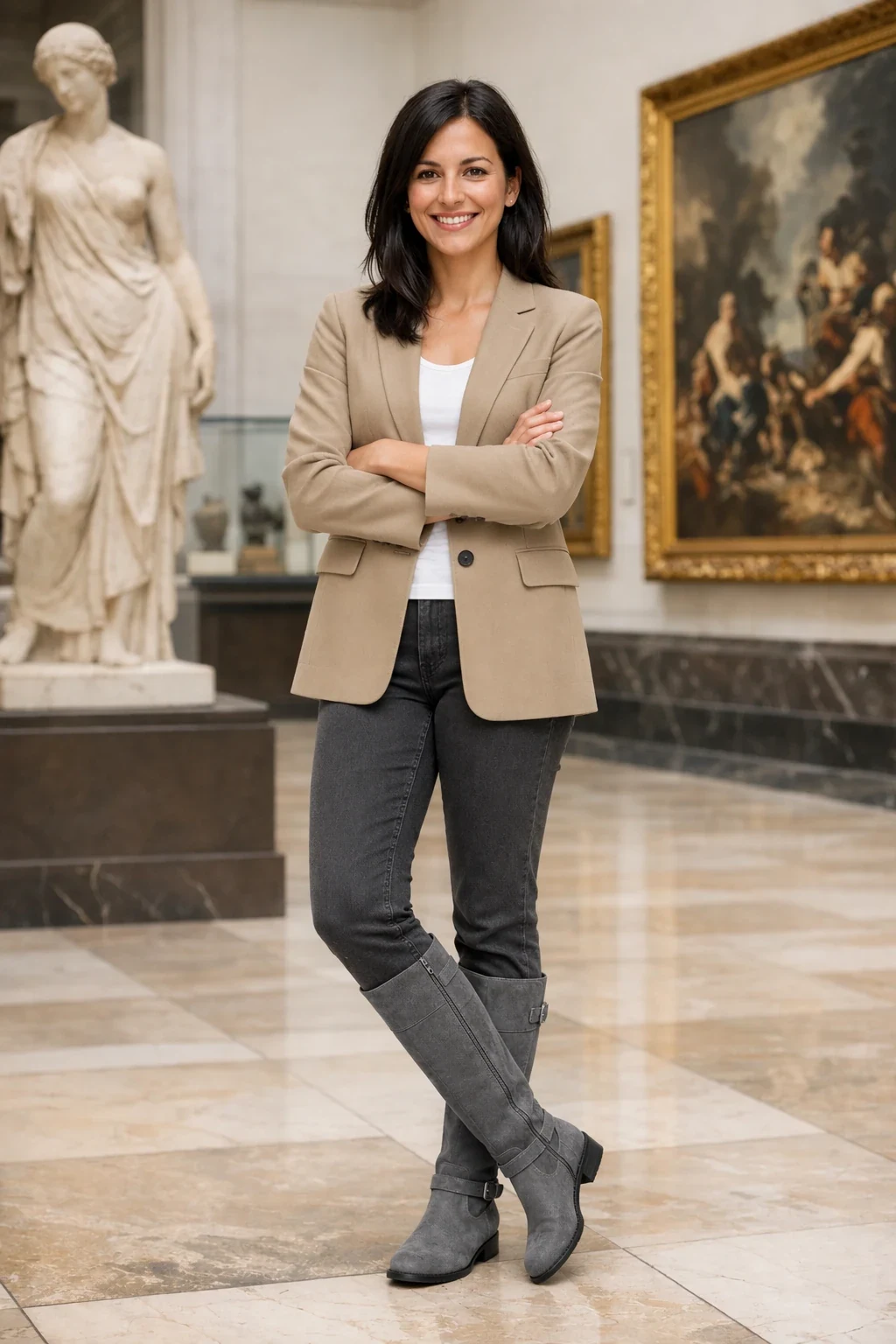 Preserve identity and change clothingExample 03
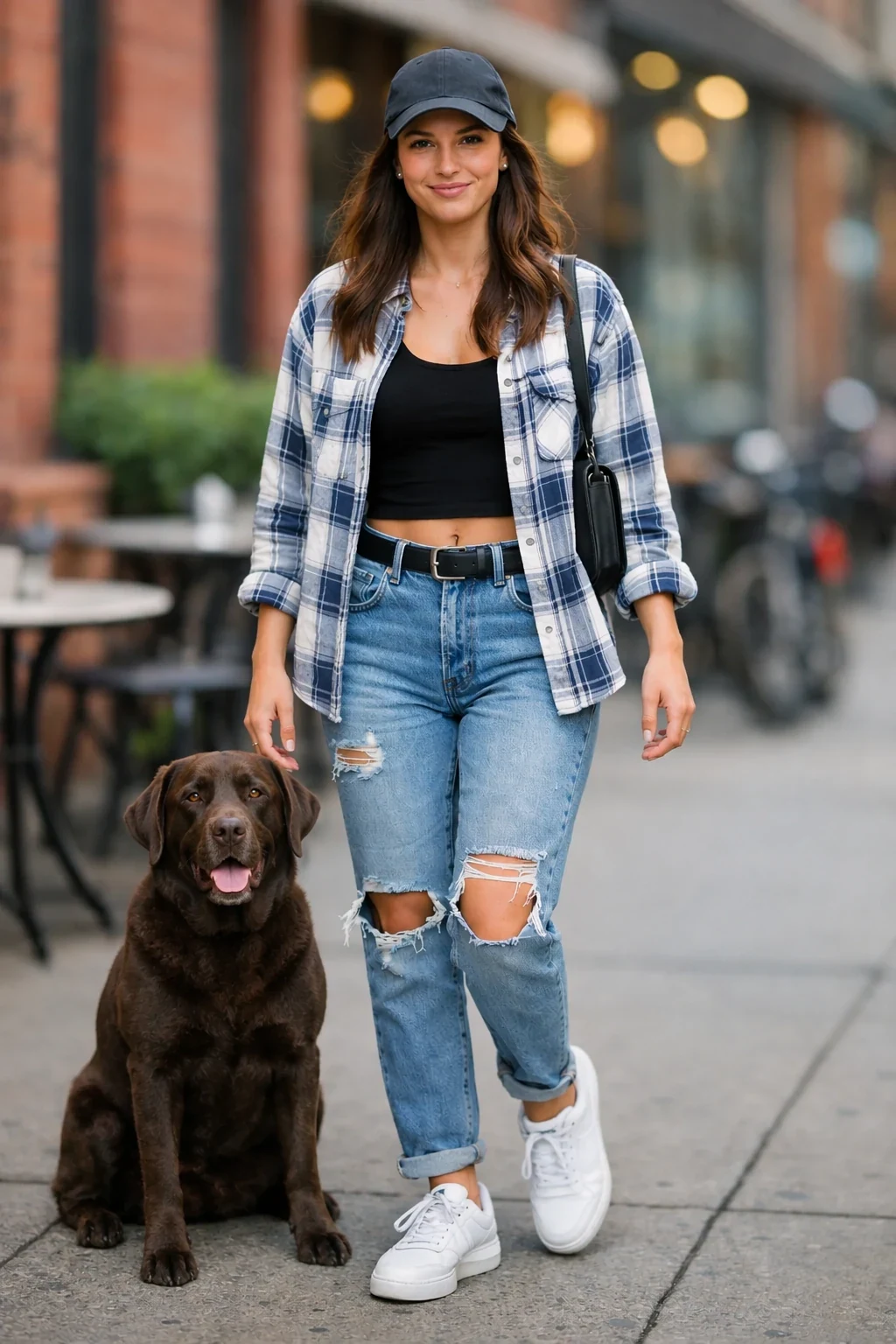 Combine referencesExample 04
Examples
Prompt to image, in context
Create a short vertical comic-style reel with 4 panels. Panel 1: The owner leaves through the front door. The pet is framed in the window behind them, small against the glass, eyes wide, paws pressed high, the house suddenly quiet. Panel 2: The door clicks shut. Silence breaks. The pet slowly turns toward the empty house, posture shifting, eyes sharp with possibility. Panel 3: The house transformed. The pet sprawls across the couch like it owns the place, crumbs nearby, sunlight cutting across the room like a spotlight. Panel 4: The door opens. The pet is seated perfectly by the entrance, alert and composed, as if nothing happened.
Place the dog from the second image into the setting of image 1, right next to the woman, use the same style of lighting, composition and background. Do not change anything else.
Create a children’s book illustration introducing a main character. Character: A young, storybook-style hero inspired by a little forest outlaw, wearing a simple green hooded tunic, soft brown boots, and a small belt pouch. The character has a kind expression, gentle eyes, and a brave but warm demeanor. Carries a small wooden bow used only for helping, never harming. Theme: The character protects and rescues small forest animals like squirrels, birds, and rabbits. Style: Children’s book illustration, hand-painted watercolor look, soft outlines, warm earthy colors, whimsical and friendly. Proportions suitable for picture books (slightly oversized head, expressive face). Constraints: - Original character (no copyrighted characters) - No text - No watermarks - Plain forest background to clearly showcase the character
Use the same style from the input image and generate a man riding a motorcycle on a white background.
Remove the flower from man's hand. Do not change anything else.
In this room photo, replace ONLY the white chairs with chairs made of wood. Preserve camera angle, room lighting, floor shadows, and surrounding objects. Keep all other aspects of the image unchanged. Photorealistic contact shadows and fabric texture.
Edit the image to dress the woman using the provided clothing images. Do not change her face, facial features, skin tone, body shape, pose, or identity in any way. Preserve her exact likeness, expression, hairstyle, and proportions. Replace only the clothing, fitting the garments naturally to her existing pose and body geometry with realistic fabric behavior. Match lighting, shadows, and color temperature to the original photo so the outfit integrates photorealistically, without looking pasted on. Do not change the background, camera angle, framing, or image quality, and do not add accessories, text, logos, or watermarks.
Generate a highly realistic action scene where this person is running away from a large, realistic brown bear attacking a campsite. The image should look like a real photograph someone could have taken, not an overly enhanced or cinematic movie-poster image. She is centered in the image but looking away from the camera, wearing outdoorsy camping attire, with dirt on her face and tears in her clothing. She is clearly afraid but focused on escaping, running away from the bear as it destroys the campsite behind her. The campsite is in Yosemite National Park, with believable natural details. The time of day is dusk, with natural lighting and realistic colors. Everything should feel grounded, authentic, and unstyled, as if captured in a real moment. Avoid cinematic lighting, dramatic color grading, or stylized composition.
Same workers, same beam, same lunch boxes - but they're all on their phones now. One is taking a selfie. One is on a call looking annoyed. Same danger, new priorities. A hard hat has AirPods.
Capabilities
What you can build with gpt-image-2.5-flare
Prompt driven generation
Submit a concise prompt and get production-ready image output through one TTAPI job.
Core controls only
Keep integration simple with prompt, model, output settings, and callback handling.
Async result flow
Use polling or webhook callbacks so long-running generations do not block your UI.
Ready for product UI
Return OpenAI Image results that can be displayed, stored, or passed into downstream workflows.
Pricing
Per-action, in quota
Usage is metered in quota by model, action, and output settings.
API request
Headers and submit parameters
Use the endpoint below with your TTAPI key and the request fields shown.
Headers
TT-API-KEYstringrequiredYour TTAPI API key.
Content-TypestringrequiredUse application/json.
Body
promptstringrequiredText description of the image to generate.
modelenumrequiredThe selected GPT Image model.
backgroundenumoptionaltransparent, opaque, or auto.
moderationenumoptionallow or auto content moderation.
nintegeroptionalNumber of images to generate, from 1 to 10.
output_compressionintegeroptionalCompression from 0 to 100 for webp or jpeg output.
output_formatenumoptionalpng, jpeg, or webp.
partial_imagesintegerconditionalNumber of partial images returned when streaming, from 0 to 3.
qualityenumoptionalauto, high, medium, or low.
sizestringoptionalauto, a standard GPT Image size, or a supported custom size.
streambooleanoptionalStream generation progress when true.
userstringoptionalStable end-user identifier for abuse monitoring.
Integrate
From key to first result
Copy the resolved endpoint, authentication headers, and request body for this model.
curl --request POST \
  --url https://api.ttapi.io/v1/images/generations \
  --header 'TT-API-KEY: $TTAPI_KEY' \
  --header 'Content-Type: application/json' \
  --data '{"prompt":"minimal product photograph on a warm gray background","model":"gpt-image-2.5-flare","background":"auto","moderation":"auto","n":1,"output_compression":100,"output_format":"png","partial_images":0,"quality":"auto","size":"auto","stream":false,"user":"ttapi-demo"}'