固定时长或需要将参考视频与图片搭配使用时,可先试 1.1 Flash。需要精确控制时长、更多参考图、专门的续写或编辑接口时,可先试 1.2 Flash。
两个版本分别适合什么工作流
两款 Omni Flash 都能根据文本和视觉素材生成带同步音频的视频,在 TTAPI 上可生成 720p、1080p 或 4K。选择取决于时长、参考图数量、运镜要求和是否要改现有视频。
结合静态图和参考视频时可选 1.1;需要修改已有片段或接着生成新场景时,1.2 有专用操作。
下方公开案例分别展示首帧驱动的手稿扫描、图片加运镜参考的北极场景,以及用视频编辑将拉面店窗外的雨改成雪。
Omni 1.2 Flash 和 1.1 Flash 功能对照
简单品牌短片两款都能做。需要精确时长、多张参考图或修改已有片段时,差别更加明显。
| 操作方式 | Omni 1.2 Flash | Omni 1.1 Flash |
|---|---|---|
| 文生视频或图生视频 | 3 至 15 秒 | 4、6、8 或 10 秒 |
| 输出分辨率 | 360p、720p、1080p 或 4K | 720p、1080p 或 4K |
| 参考图 | 最多 10 张 | 1 张或 3 张 |
| 视频输入 | 1 段待编辑或续写的源视频 | 1 段参考视频,可附参考图 |
| 计费 | 按分辨率和秒数计费 | 按分辨率和时长套餐计费 |
1.1 Flash:固定时长套餐
6 秒竖版商品预告适合固定时长套餐。相同时长下 720p 和 1080p 同价,6 秒都是 30 quota,4K 为 80 quota。默认档为 720p、6 秒。
有商品静物照和参考片时,1.1 可接收一段参考视频和一张或三张图片。传入参考视频时,duration 选择计费档位,请以成片为准核对实际时长。
1.1 实例:从给定首帧开始
首帧决定主体、构图和开场状态。Runware 的示例图片已经包含戴手套的修复员、扫描仪和古旧书页。提示词要求沿羊皮纸扫描,并让显现的字迹留在纸面。
留意仪器形状、手指动作以及扫描区域的边界。这些细节对设备演示或产品说明视频很重要。
1.1 的其他公开案例还涵盖人物肖像、航拍、香水、微观影像和动画。
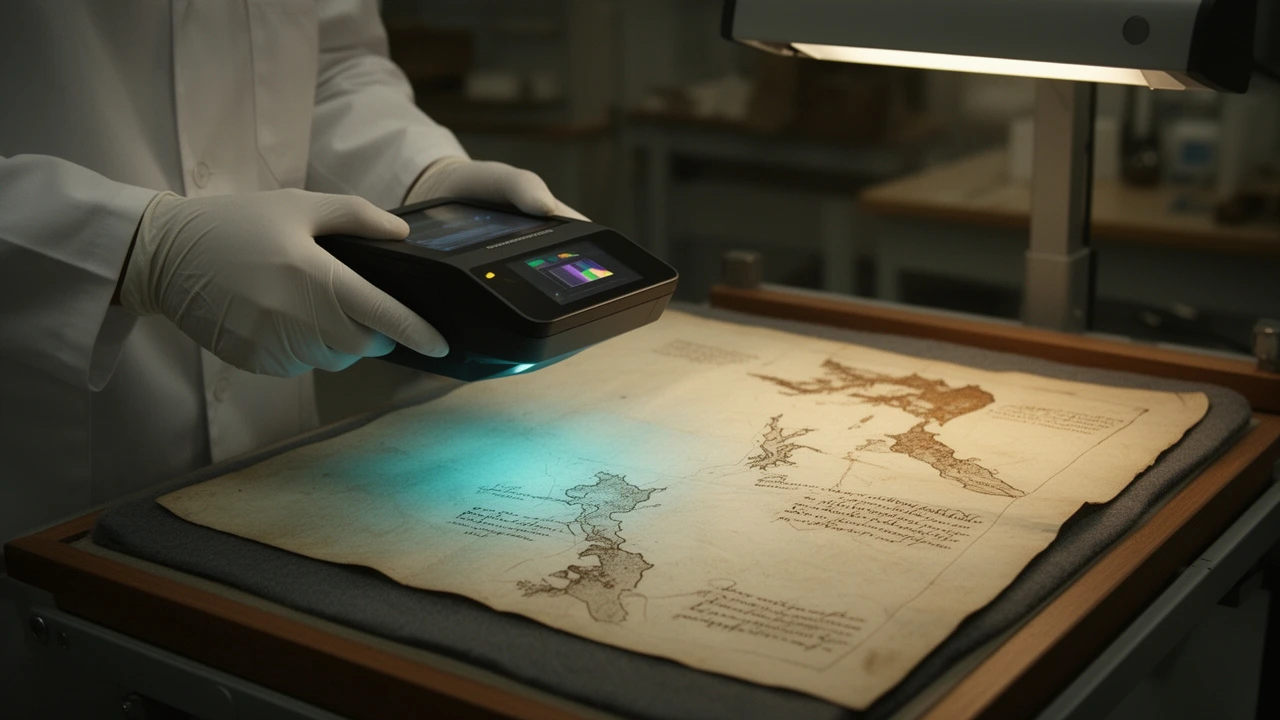
Create a polished museum-equipment product demonstration that begins exactly from the supplied opening frame. In one continuous, stable close-up shot, the conservator slowly guides the handheld multispectral scanner from left to right above the antique manuscript while maintaining a constant height. A narrow cyan scanning band travels directly beneath the device. As it passes, previously invisible cartographic details emerge naturally on the parchment: delicate coastline contours, compass construction lines, and faded handwritten route marks become legible in dark sepia and subtle false-color traces. Keep the revealed details anchored precisely to the paper with no floating graphics or app interface. Include small realistic motions: controlled gloved fingers, a slight flex in the scanner cable, drifting dust motes, and gentle reflections moving across the scanner housing. The camera makes a very subtle forward push to emphasize the before-and-after boundary between the untouched faded area and the newly revealed section. End with the scanner near the right side of the page and most of the hidden map exposed. Premium technical-explainer cinematography, credible museum conservation workflow, warm archival laboratory lighting contrasted with restrained cyan illumination, physically accurate hands and equipment, smooth deliberate motion, consistent product geometry, no cuts, no logos, no captions, no UI, no extra tools entering frame.
1.1 实例:同时参考建筑与运镜
北极种子库的图片决定建筑的样貌和结构,视频则提供横向环绕、前移和轻微上升的运镜参考。提示词补充雪景、极地暮色和入口的暖光。
对照原图、参考片和成片,检查环境改变时入口是否仍可辨认,摄像机是否按要求移动。
Runware 展示的片段是 7 秒。TTAPI 文档列出的 1.1 套餐为 4、6、8 或 10 秒,传入参考视频时 duration 仍用于选择计费档位。
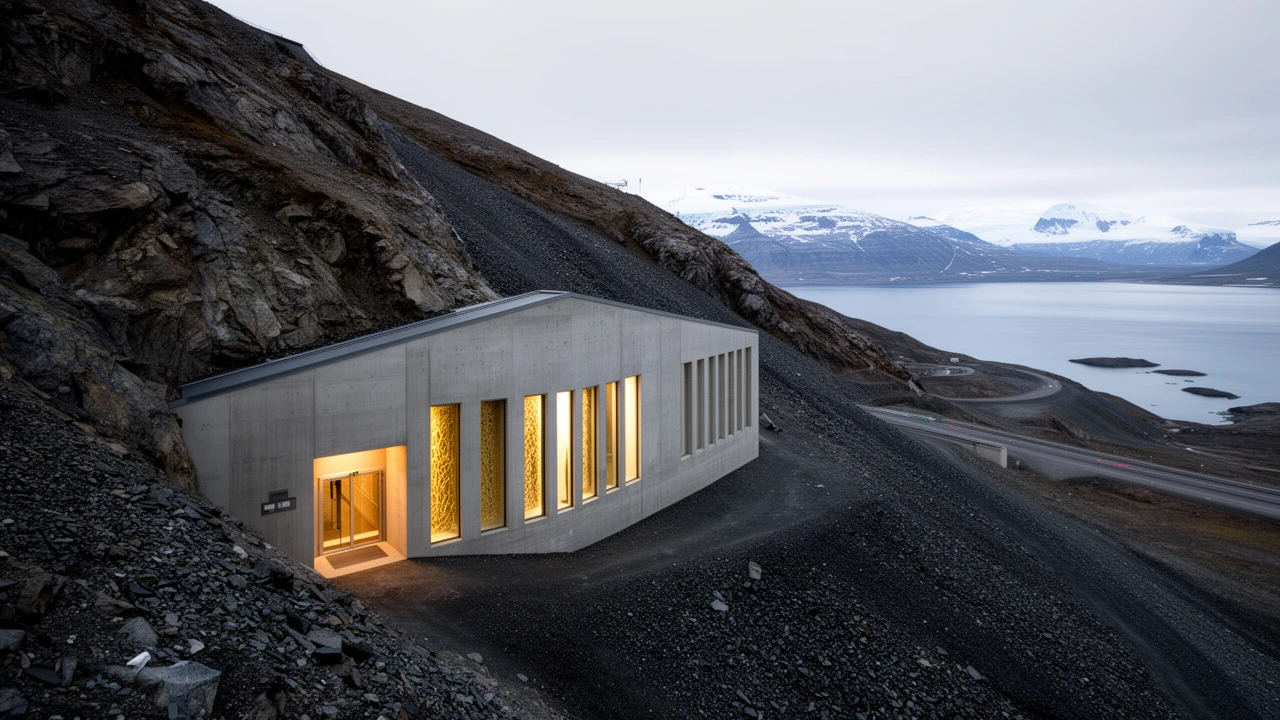
Create a finished seven-second documentary establishing shot of the Arctic seed vault shown in the reference image, transformed from its snow-free midsummer setting into deep winter during polar night. Preserve the reference image's specific building identity and geometry: the angular concrete entrance embedded in the mountainside, facade proportions, illuminated-art panel placement, weathered surfaces, road alignment, shale slopes and fjord geography. Cover the terrain and road edges with believable accumulated snow while keeping exposed wind-scoured rock visible. Relight the entire scene with cold cobalt-blue polar twilight, soft cyan ambient snow bounce and warm restrained illumination spilling from the entrance; the decorative facade lighting should glow clearly without clipping. Add a faint violet band near the horizon, low clouds and sparse wind-driven powder moving across the foreground. Adopt the reference video's camera choreography rather than its building: one continuous stabilized low-altitude lateral arc from left to right, with subtle forward drift and a gentle rise, producing convincing parallax between foreground snowbanks, the vault entrance, mountain slopes and distant fjord. Maintain realistic drone inertia and a calm institutional-documentary mood. The transformation must feel fully integrated into a new winter scene, not like a filter, slideshow, endpoint interpolation or pasted building. Natural atmospheric depth, physically coherent shadows and reflections, crisp architectural detail, restrained cinematic contrast, no cuts, no time-lapse, no people, no vehicles, no added logos, captions or titles.
1.2 Flash:指定时长、编辑与续写
1.2 可生成 5 秒插镜或 12 秒建立镜头,接受文本、图像和最多 10 张参考图。720p 或 1080p 的 5 秒生成收费 25 quota。360p、720p 或 1080p、4K 的每秒价格分别为 3、5、10 quota。
已有视频可用编辑功能修改,也可续写 3 至 10 秒。续写只对新增时长计费;编辑按源视频实际时长减 0.15 秒后向上取整,最低 1 秒、最高 15 秒。无法读取源视频时长或源视频超过 15 秒时,TTAPI 会拒绝任务。
1.2 实例:把现有场景改成冬天
Replicate 的拉面店原片已包含厨师、顾客、对话和手持运镜。编辑提示词要求窗外下雪、顾客换上冬衣和围巾,同时保留原有表演与节奏。
对照原片和成片,检查衣服、窗外景象和人物是否符合要求,运镜是否保持一致。这类流程适合季节版本和已有镜头的修订。
1.2 的其他案例包括陶艺工坊、万神殿穿越镜头、蜂巢科普、磁带配色展示和农贸市场竖版广告,涵盖文生视频、指定首帧、多张参考图和视频编辑。
Change the season to a snowy winter night. Snow falls past the window instead of rain, and the young woman wears a red knit scarf and wool coat instead of the raincoat. Keep the chef, the dialogue, the timing and the camera move exactly the same.
按片段时长和交付要求选型
720p 或 1080p 文生视频中,4 秒在 1.1 和 1.2 分别是 25 和 20 quota,10 秒则分别是 40 和 50 quota。批量制作不同长度的视频前,请分别核算。
两款都能完成任务时,保持提示词、宽高比、分辨率和兼容参考素材一致。检查动作是否自然、主体是否清楚,以及成片能否用于最终剪辑。